
INSIGHTS
Website speed has become one of the most important factors influencing online success. Today’s users expect websites to load quickly, function smoothly, and provide immediate access to information. When a website is slow, visitors are more likely to leave before engaging with your content, exploring your services, or completing a conversion.
Beyond user experience, website speed also impacts search engine rankings, advertising performance, and overall marketing effectiveness. Even small delays in page load time can lead to higher bounce rates and lost revenue opportunities. Understanding why speed matters and how to improve it can help businesses create better experiences, attract more qualified traffic, and increase conversions.
What Is Website Speed and Why Does It Matter?
Website speed refers to how quickly a webpage loads and becomes usable for visitors. This includes everything from the time it takes for content to appear on screen to how quickly users can interact with buttons, forms, and navigation elements. In 2026, website speed is no longer just a technical consideration. It is a critical component of user experience, search engine optimization, and conversion rate optimization.
A fast-loading website helps keep visitors engaged, encourages them to explore additional pages, and creates a more positive impression of your brand. Conversely, a slow website can frustrate users, reduce trust, and increase the likelihood that they will leave before taking action. Whether your goal is generating leads, driving sales, or increasing engagement, website performance plays a direct role in achieving those outcomes.
How Slow Websites Hurt Conversions
A slow website creates friction at the exact moment users are deciding whether to stay, explore, or take action. When pages take too long to load, visitors may leave before they ever see your offer. This affects more than user experience. Slow performance can reduce engagement, weaken trust, lower conversion rates, and make every marketing channel less effective.
Higher Bounce Rates and Abandonment
When a website loads slowly, users are more likely to leave before interacting with the page. This is especially true on mobile devices, where people expect quick access to information. Higher bounce rates mean fewer visitors are reaching your calls to action, reading your content, or moving deeper into the site.
Reduced Engagement and Time on Site
Slow page speed can make users less likely to explore your website. If images lag, buttons respond slowly, or pages take too long to load, visitors may abandon the experience altogether. Faster websites encourage users to browse more pages, spend more time with your content, and engage with key conversion points.
Lower Trust and Brand Perception
Your website often shapes a customer’s first impression of your business. If it feels slow, outdated, or unreliable, users may assume the same about your brand. A fast, smooth website creates a stronger sense of professionalism and helps visitors feel more confident taking the next step.
Lost Revenue Opportunities
Every delayed page load gives users a chance to leave before converting. For ecommerce brands, that may mean abandoned carts. For service businesses, it may mean fewer form submissions or consultation requests. Improving website performance helps reduce friction and gives visitors fewer reasons to drop off before taking action.
Impact on Paid Ad Performance
Slow-loading landing pages can undermine the effectiveness of paid advertising campaigns. If users click an ad and land on a slow page, they are less likely to convert. This can increase the cost per lead, lower return on ad spend, and waste budget that could have been used more effectively on a faster, more optimized website.
Key Factors That Affect Website Speed
Website speed is influenced by many technical and design-related elements working together behind the scenes. Even a visually polished site can perform poorly if images are too large, scripts are overloaded, hosting is weak, or code is inefficient. Understanding what slows your site down is the first step toward improving performance, user experience, and conversion rates.
Large Images and Unoptimized Media
Images and videos are often the biggest contributors to slow load times. High-resolution files that are not compressed or properly sized can add unnecessary weight to a page. Optimizing media through compression, modern file formats, and lazy loading helps pages load faster while still maintaining strong visual quality.
Excessive Scripts and Third-Party Tools
Plugins, tracking pixels, chat widgets, ad scripts, and other third-party tools can slow down your website if they are not managed carefully. Each script adds another request for the browser to process. Reviewing which tools are necessary and removing unused or redundant scripts can significantly improve page performance.
Poor Hosting or Server Performance
Your hosting environment plays a major role in how quickly your website responds. Low-quality hosting, overloaded servers, or limited resources can cause delays before a page even begins loading. Investing in reliable hosting with strong server performance helps improve speed, stability, and the overall user experience.
Lack of Caching and CDN Usage
Caching stores certain website elements so they do not need to reload from scratch every time someone visits your site. A content delivery network, or CDN, helps serve website files from servers closer to the user. Together, caching and CDN usage can reduce load times and improve the browsing experience.
Inefficient Code and Website Structure
Bloated code, outdated themes, unnecessary plugins, and poorly structured pages can all slow down a website. Clean, efficient code helps browsers load content faster and reduces performance issues. Regular website audits can identify areas where code, layout, or structure should be simplified to improve speed and usability.
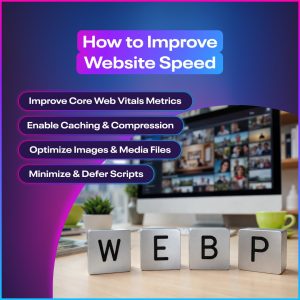
How to Improve Website Speed
Improving website speed often requires a combination of technical updates, content optimization, and ongoing maintenance. Small changes can make a major difference, especially when they reduce unnecessary page weight or help browsers load content more efficiently. By focusing on the most common performance issues first, businesses can create a faster website experience that supports stronger engagement, better SEO, and higher conversions.
 Optimize Images and Media Files
Large images and videos can quickly slow down a website. Compress files before uploading, use modern formats like WebP, and ensure images are sized correctly for where they appear on the page. Lazy loading can also help by delaying offscreen media until users actually need it, improving initial page load times.
Minimize and Defer Scripts
Scripts from plugins, tracking tools, ads, and third-party widgets can add significant load time. Minimizing scripts reduces unnecessary code, while deferring nonessential scripts allows important page content to load first. This helps users see and interact with your website more quickly, creating a smoother experience and reducing the risk of early abandonment.
Use a Content Delivery Network (CDN)
A content delivery network stores copies of your website files on servers in different locations. When someone visits your site, the CDN delivers content from the server closest to them. This reduces loading delays and improves performance for users across different regions, especially if your business serves customers beyond one local area.
Enable Caching and Compression
Caching allows repeat visitors to load certain website elements faster because their browser does not need to download everything again. Compression reduces the size of files like HTML, CSS, and JavaScript so they load more efficiently. Together, caching and compression can significantly improve site speed and create a better browsing experience.
Upgrade Hosting and Server Performance
If your website is hosted on a slow or overcrowded server, even the best front-end optimizations may not be enough. Upgrading to a stronger hosting plan, managed WordPress hosting, or a dedicated server can improve response times and reliability. Better hosting helps your website handle traffic more smoothly and reduces delays during peak usage.
Improve Core Web Vitals Metrics
Core Web Vitals measure important aspects of website performance, including loading speed, interactivity, and visual stability. Improving these metrics helps create a better user experience and can support stronger SEO performance. Common improvements include reducing layout shifts, improving server response time, optimizing images, and improving the load time of interactive elements.
Tools to Measure and Monitor Website Performance
To improve website speed, you first need to understand how your site is currently performing. Performance tools help identify what is slowing your pages down, how users experience your site, and which improvements should be prioritized. These tools are useful for websites on any platform, including WordPress, and can guide both technical fixes and ongoing optimization.
Google PageSpeed Insights
Google PageSpeed Insights is one of the most widely used tools for evaluating website performance. It analyzes both mobile and desktop versions of a page and provides scores based on speed, usability, and Core Web Vitals. The tool also offers recommendations for improving load times, such as optimizing images, reducing unused code, and improving server response.
Google Lighthouse
Google Lighthouse, built into Chrome DevTools, provides a detailed audit of website performance, accessibility, SEO, and best practices. It helps identify technical issues that may affect user experience and search visibility. Lighthouse is especially useful for developers and web teams because it highlights specific areas that need improvement and explains how those issues impact performance.
GTmetrix and Other Speed Testing Tools
GTmetrix provides a detailed breakdown of how your website loads, including file sizes, server requests, and load sequence. This makes it easier to identify large assets, slow scripts, or performance bottlenecks. Other tools, such as WebPageTest, can provide additional insight into how your site performs across different locations, browsers, and connection speeds.
Core Web Vitals Reports in Google Search Console
Google Search Console includes Core Web Vitals reports that show how real users experience your website. These reports identify pages with performance issues related to loading speed, interactivity, and layout stability. Because this data comes from actual users, it is especially helpful for prioritizing fixes that may affect SEO and conversions.
Ongoing Monitoring and Benchmarking
Website performance should be monitored regularly, not checked only once. New plugins, content updates, scripts, and design changes can slow a site over time. Ongoing monitoring helps catch issues early and track progress after improvements are made. Benchmarking performance monthly or quarterly ensures your site stays fast, reliable, and conversion-ready.
Why Website Speed Is a Continuous Process
Website speed is not something that can be optimized once and forgotten. As websites grow, new content is added, plugins are installed, and functionality evolves, performance can gradually decline. Maintaining a fast website requires ongoing attention, regular monitoring, and a commitment to continuous improvement. Businesses that treat performance as an ongoing priority are more likely to maintain strong user experiences and conversion rates over time.
New Content and Features Can Slow Your Site
Every new page, image, video, plugin, or feature has the potential to impact website performance. While these additions may enhance the user experience, they can also increase page weight and loading times if not implemented carefully. Regular performance reviews help ensure that growth does not come at the expense of speed.
Ongoing Updates and Maintenance Are Required
Websites require routine updates to themes, plugins, scripts, and core software. These updates often include performance improvements, security enhancements, and compatibility fixes. Keeping your website properly maintained helps prevent performance issues while ensuring visitors continue to receive a smooth and reliable experience.
Monitoring Helps Prevent Performance Issues
Small performance issues can become major problems if they go unnoticed. Regular monitoring allows businesses to identify slow pages, broken functionality, or declining Core Web Vitals before they begin affecting users and conversions. Proactive monitoring helps address issues early and reduces the likelihood of costly fixes later.
Continuous Optimization Improves ROI Over Time
Website speed improvements often have a cumulative effect. Faster pages can lead to lower bounce rates, stronger engagement, improved SEO performance, and higher conversion rates. By continually optimizing website performance, businesses deliver a better user experience while maximizing the return on their digital marketing investments.
Schedule a Consultation With an Orlando Web Design Agency
A fast website does more than create a better user experience. It supports stronger search rankings, improves marketing performance, and helps convert more visitors into customers. Even small improvements in page speed can have a measurable impact on engagement, lead generation, and revenue.
If your website is not performing as quickly as it should, working with an experienced Orlando web design agency can help identify opportunities for improvement. From technical SEO optimization and Core Web Vitals enhancements to ongoing performance monitoring, the right team can help ensure your website remains fast, effective, and built for growth. Schedule a consultation today to learn how an Orlando web development agency can support your business goals.







Talk to a sales agent today to jump start your project.
Call (407) 992-8877