
INSIGHTS
You’ve launched your website, driven traffic through ads or SEO, and you’re seeing solid visitor numbers–but conversions aren’t where they should be. That’s where optimization comes in.
A well-designed site can bring people in, but if it’s not optimized for performance, user behavior, and intent, potential customers will bounce before taking action. In this article, we’ll cover seven common website optimization mistakes that silently sabotage your conversion rates and what you can do to fix them.
Why Website Optimization Matters for Conversions
Optimizing a website involves more than simply improving load speed or incorporating keywords. It’s fundamentally about designing an experience that effectively directs visitors toward a desired action, whether that’s completing a purchase, submitting a form, or scheduling a consultation.
A well-optimized website is crucial for converting passive visitors into engaged customers, ensuring that every click translates into meaningful action. This is achieved through Conversion Rate Optimization (CRO), which focuses on removing friction from the user journey. The result is a site that is fast, clear, mobile-friendly, and intuitively aligned with user behavior and thought processes. Even minor adjustments can yield significant performance improvements.
What Makes a Website Conversion-Ready?
A conversion-ready website is more than just an attractive design. It combines clear messaging, intuitive navigation, fast performance, and persuasive calls to action that guide users toward taking the next step. Whether your goal is to generate leads, sell products, or book appointments, your site should remove friction at every stage of the user journey. From the first click to the final form submission, each element should be intentional and aligned with your business objectives.
Mistake 1: Slow Website Load Times
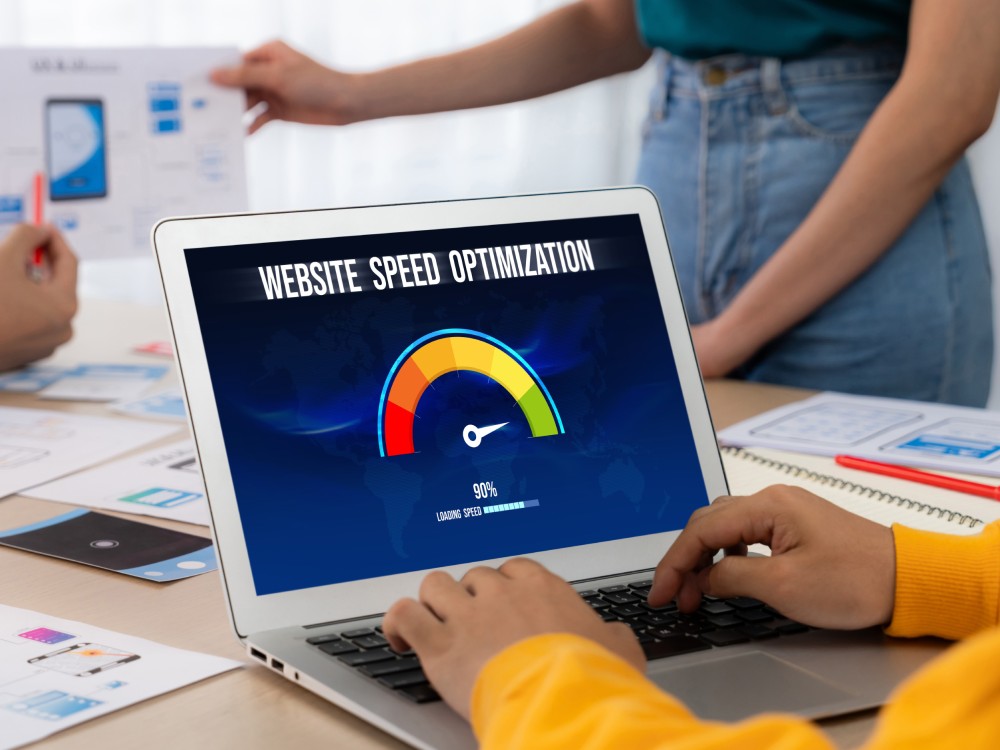
When a website takes too long to load, visitors often leave before engaging with your content. This leads to higher bounce rates and lost revenue. A fast-loading site builds trust, keeps users engaged, and encourages them to take action, whether it’s making a purchase or filling out a form.
Why Speed Affects Conversions
Page speed influences user behavior from the very first click. Visitors expect instant access, and even a delay of one or two seconds can cause frustration or doubt. A slow site can make your business feel outdated or untrustworthy, pushing potential customers toward faster competitors. For e-commerce and service-based businesses, speed can directly impact sales, form fills, and other key conversion actions.
How to Measure and Improve Load Times
You can evaluate your site speed using tools like Google PageSpeed Insights, GTmetrix, or WebPageTest. These platforms highlight performance issues and provide actionable suggestions. Improving load times often involves optimizing images, leveraging browser caching, minimizing third-party scripts, and using a content delivery network (CDN). Ensuring your site is hosted on a reliable server with fast response times also helps reduce delays and keep users engaged.
Mistake 2: Poor Mobile Experience
In today’s digital landscape, mobile traffic often surpasses desktop traffic, making mobile optimization a crucial part of your website’s success. If your site loads poorly, displays awkwardly, or is hard to navigate on mobile devices, users are likely to leave before they even engage with your content. This kind of experience not only hurts your conversion rates but also damages trust in your brand. A mobile-optimized site builds credibility, improves user satisfaction, and keeps visitors moving through your funnel.
Mobile-First Indexing and User Behavior
Google’s mobile-first indexing means that the mobile version of your site is what search engines evaluate first when determining rankings. This shift reflects how people use the internet today, with most browsing, shopping, and researching happening on mobile devices.
If your site isn’t mobile-friendly, you risk losing both visibility in search results and potential customers who expect a seamless experience. Ensuring that your mobile site performs just as well as your desktop version is essential for SEO and conversions.
Fixing Mobile Responsiveness and Navigation
Improving mobile usability starts with responsive design. Your site should automatically adapt to fit different screen sizes, maintaining readability and functionality across devices. Focus on clear typography, tappable buttons, and simplified navigation that makes it easy for users to find what they need. Use tools like Google’s Mobile-Friendly Test or screen emulators to spot layout issues. Mobile user testing is also a smart way to understand where users struggle and where improvements can make a noticeable difference.
Mistake 3: Weak or Confusing Calls to Action (CTAs)
Even the most beautifully designed website can struggle to convert if your calls to action are vague, hard to find, or don’t motivate users to take the next step. CTAs are what guide visitors toward your goals, whether that’s filling out a form, making a purchase, or scheduling a consultation. When CTAs lack clarity or urgency, users often leave without taking action. Strong, strategic CTAs are essential to turning passive traffic into measurable business results.
Common CTA Placement Errors
Placing your CTAs in the wrong location can significantly reduce their effectiveness. If buttons are buried at the bottom of long pages, hidden behind cluttered content, or appear too late in the user journey, visitors may never see or interact with them. CTAs should be placed where users are naturally ready to take action. Consider adding them near key information, at the end of value-driven sections, and in sticky headers or pop-ups for better visibility.
Tips for Crafting High-Converting CTAs
Effective CTAs are clear, direct, and action-oriented. Use strong verbs that create a sense of momentum, like “Get Started,” “Book Your Free Demo,” or “Claim Your Offer.” Tailor the language to your audience’s goals and make sure the design stands out visually without disrupting the flow of the page. A/B testing different CTA styles, copy, and colors can also help you understand what resonates best with your visitors and drives conversions.
Mistake 4: Cluttered or Confusing Page Design
A cluttered website overwhelms users and distracts from your main message. When there’s too much going on, whether it’s competing visuals, walls of text, or too many navigation options, visitors struggle to focus and often abandon the site altogether. Clean, intentional design not only makes your content easier to digest but also helps users navigate with confidence. Simplifying the experience can significantly improve engagement and guide visitors toward the actions you want them to take.
How Layout Impacts User Flow
Page layout directly affects how users move through your site. When the layout lacks structure or visual hierarchy, it’s harder for visitors to find what they need or understand where to click next. Strategic spacing, clear headings, and consistent design elements create a smoother path from entry to conversion. A good layout anticipates the user’s next step and makes that action feel intuitive and effortless.
Streamlining for Better Engagement
Streamlining your website doesn’t mean stripping it down; it means focusing on what matters most. Limit the number of competing elements on each page and remove anything that distracts from your core message or CTA. Use whitespace to create breathing room, reduce cognitive load, and make your content feel more approachable. A simplified experience builds trust, increases time on site, and helps convert curious visitors into loyal customers.
Mistake 5: Ignoring SEO Basics
Even the best-designed website won’t perform well if it’s invisible to search engines. Overlooking foundational SEO elements limits your site’s ability to attract traffic and rank competitively. Without proper optimization, your content may never reach the audience it’s intended for, which reduces conversions before visitors even arrive. Fixing basic SEO issues improves discoverability, drives qualified traffic, and strengthens your overall digital performance.
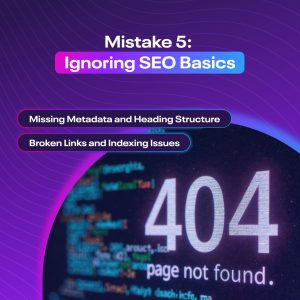 Missing Metadata and Heading Structure
Metadata like title tags and meta descriptions help search engines understand what your pages are about and influence how they appear in search results. Missing or duplicated metadata makes it harder for your site to compete. Likewise, clear and consistent heading structures (H1, H2, H3, etc.) not only help with readability but also give search engines a better sense of content hierarchy. Together, these elements play a big role in visibility and user experience.
Broken Links and Indexing Issues
Broken internal links frustrate users and disrupt the flow of your website. They also create crawl errors for search engines, which can prevent pages from being properly indexed or ranked. Regularly auditing your site for broken links, redirect chains, and crawl errors helps maintain a clean architecture. If search engines struggle to index your pages, they won’t show up in results, and you’ll lose potential conversions before they even happen.
Mistake 6: Not Tracking or Testing Site Performance
If you’re not actively measuring how users interact with your website, you’re missing valuable opportunities to improve. Many businesses launch a site and assume it’s working simply because it looks good. But without data to back it up, you’re left guessing. Tracking performance and testing changes allows you to make informed decisions that directly increase engagement, retention, and conversions over time.
Why A/B Testing Matters
A/B testing allows you to compare two versions of a page element, like a headline, call-to-action, or layout, to see which performs better. Even small changes can make a big difference in how users engage and convert. Regular testing helps you move from assumptions to data-backed decisions, refining your site with each iteration. The result is a site that consistently performs better because it’s shaped by real user behavior.
Why A/B Testing Matters
Tools like Google Analytics, Hotjar, and Microsoft Clarity provide deep insights into how users interact with your site. From heatmaps and session recordings to bounce rates and goal completions, these platforms help identify what’s working and what’s not. With the right tools in place, you can troubleshoot drop-offs, refine funnels, and make adjustments that turn more visitors into customers.
Mistake 7: Generic or Irrelevant Content
Content plays a major role in turning visitors into customers, but too often, websites rely on vague, cookie-cutter messaging that fails to connect. Generic content doesn’t answer specific questions or reflect the unique needs of your audience, which leads to confusion or disinterest. To drive conversions, your content must be clear, relevant, and aligned with what your users are actually looking for.
Aligning Content With User Intent
Effective content speaks directly to your visitors’ goals. Whether someone is researching a service, comparing options, or ready to buy, your content should reflect their stage in the buyer’s journey. Start by identifying common questions or pain points, then tailor your messaging to address them clearly and helpfully. When content aligns with user intent, it builds trust and encourages action.
How Personalization and Relevance Increase Conversions
Personalized content performs better because it feels tailored, not generic. Whether you’re using dynamic content blocks, local references, or messaging based on industry or user behavior, adding relevance increases engagement. When users feel like your website “gets” them, they’re far more likely to stay, interact, and convert, making personalization a key element in modern website optimization.
How to Fix These Website Optimization Mistakes
Fixing conversion-killing website issues starts with a clear audit of your current performance. Start by evaluating site speed, mobile responsiveness, and user experience. Use tools like Google PageSpeed Insights, heatmaps, and analytics to understand where users drop off or get confused. Then prioritize updates that improve navigation, streamline CTAs, and align content with user intent.
From there, consistency is key. Regularly monitor your website’s metrics, run A/B tests on messaging and design, and keep content fresh and personalized. Optimization is not a one-time project; it’s an ongoing process that should evolve with your audience’s behavior and expectations.
What to Look for in a Website Optimization Partner
A strong website optimization partner doesn’t just fix surface-level issues; they help build a strategy for long-term growth. Look for an agency that combines Orlando website design, SEO, CRO (conversion rate optimization), and performance analysis into one cohesive approach. They should be able to identify technical gaps, enhance user experience, and guide your site toward better results.
It’s also important to find a team that understands your industry, communicates clearly, and offers transparent reporting. The right partner should not only improve how your website looks and performs, but also help you understand how those changes are impacting your bottom line.
Schedule a Consultation with an Orlando Web Design Agency
Your website should be more than just functional. It should be your top-performing salesperson. Whether you’re struggling with high bounce rates, slow load times, or low conversions, the right improvements can make a measurable difference in how your business performs online.
At Brandcoders, we specialize in creating high-converting websites through custom design, performance optimization, and data-driven strategy. As a trusted Orlando web design agency, we work with businesses to uncover what’s holding their sites back and implement solutions that drive real growth. Schedule a consultation today to find out how we can help you turn more visitors into customers.






Talk to a sales agent today to jump start your project.
Call (407) 992-8877