
INSIGHTS
Getting people to your website is one thing. Getting them to take action is another. Even with strong marketing and steady traffic, a confusing or frustrating website experience can cause potential customers to leave before contacting your business.
That’s where UX design comes in. From how visitors navigate your website to how easily they can find information, every interaction can influence their decision to stay or leave. A well-designed user experience helps remove obstacles and makes it easier for visitors to take the next step.
What Is UX Design?
UX design, or user experience design, focuses on how people interact with a website and how easily they can accomplish what they came to do. It considers everything from navigation and content organization to accessibility and functionality.
The goal is to create a website that feels intuitive and helps visitors find what they need without unnecessary confusion. When the experience is straightforward, users can spend less time figuring out how the website works and more time engaging with your business.
How Poor UX Causes Businesses to Lose Conversions
A website can attract plenty of visitors and still struggle to generate leads or sales. When users encounter confusing navigation, unclear information, or unnecessary obstacles, they may leave before completing an important action. Understanding these common UX problems can help businesses identify where potential conversions are being lost.
Visitors Cannot Find What They Need
People typically visit a website with a specific goal, whether that’s learning about a service, comparing options, or finding contact information. If navigation is confusing or important pages are difficult to locate, visitors may give up before finding what they need. Clear menus and logical page organization help users move through the website with less effort.
Important Information Is Difficult to Understand
Even when visitors find the right page, unclear messaging can prevent them from taking action. Long paragraphs, unfamiliar terminology, or vague descriptions can make it difficult to understand what a business offers. Website content should communicate essential information clearly so visitors can quickly determine whether a product or service meets their needs.
Too Many Choices Create Friction
Giving visitors too many options at once can make it harder for them to decide what to do next. A page filled with competing buttons, promotional messages, or unrelated information can distract from its primary purpose. Establishing a clear visual hierarchy and emphasizing the most relevant actions helps guide visitors toward a decision.
Slow Pages Interrupt the User Journey
Visitors expect websites to load quickly and respond smoothly. Slow-loading pages, delayed interactions, and shifting page elements can create frustration, particularly when someone is trying to complete a task. Improving website speed and performance helps create a more reliable experience and reduces unnecessary interruptions that could lead visitors to leave.
A Poor Mobile Experience Drives Visitors Away
A website that works well on a desktop computer may still be difficult to use on a phone. Small text, crowded navigation, or buttons that are difficult to tap can make basic interactions frustrating. A mobile-friendly website should adapt to different screen sizes while keeping important information and actions easily accessible.
Complicated Forms Create Unnecessary Drop-Off
Contact forms, appointment requests, and checkout processes are often the final steps before a conversion. Asking for too much information or making forms difficult to complete can discourage visitors who were otherwise ready to take action. Keeping forms focused on essential details and providing clear instructions can make the process easier to finish.
UX Design Elements That Can Improve Conversion Rates
Good UX design helps visitors move through your website with confidence. When information is easy to find and the next steps are clear, users can focus on what your business offers instead of figuring out how to use the site. Several design elements can make that experience more effective.
Clear and Intuitive Website Navigation
Your website’s navigation should help visitors find important information without having to search for it. Use straightforward menu labels, organize related pages logically, and keep essential destinations accessible. Visitors should be able to understand where to go whether they’re exploring your services for the first time or returning to contact your business.
Strong Visual Hierarchy
Visual hierarchy determines which elements attract attention first and how visitors move through a page. Headings, font sizes, spacing, and contrasting colors can help distinguish important information from supporting details. A well-organized layout makes it easier for users to scan content, understand key messages, and recognize the actions you want them to take.
Easy-to-Find Calls to Action
Calls to action should be visible, clearly worded, and relevant to the page’s purpose. Whether you’re encouraging visitors to schedule a consultation, request a quote, or make a purchase, the next step should be easy to identify. Place CTAs where they naturally support the user’s decision-making process rather than relying on a single button at the bottom of the page.
Readable, Scannable Website Content
Most visitors want to find relevant information quickly. Short paragraphs, descriptive headings, and clear language make website content easier to navigate. Focus on answering the questions customers are likely to have and explaining your services in terms they understand. Good content organization supports the user experience while helping visitors evaluate whether your business is the right fit.
Simple Forms and Conversion Paths
The process of contacting your business or completing a purchase should require as little unnecessary effort as possible. Limit forms to the information you actually need, provide helpful instructions, and make it clear what happens after submission. Reducing the number of steps between a visitor’s decision and the final action can help improve website conversion rates.
Consistent Design Across the Website
Consistency helps visitors become familiar with how your website works. Using the same navigation patterns, button styles, typography, and layout conventions across pages creates a more predictable experience. When users know what to expect, they can move between sections without having to relearn how to interact with the site.
Why Mobile UX Matters for Conversions
A significant portion of website traffic comes from smartphones, making mobile usability an important part of conversion rate optimization. Visitors should be able to browse your website, find information, and complete important actions without struggling with a layout designed primarily for desktop screens.
Mobile Visitors Have Different Browsing Needs
People browsing on their phones may be looking for quick answers while commuting, shopping, or handling other tasks. They often want immediate access to information such as business hours, services, pricing, or contact details. Prioritizing these details and keeping pages easy to scan can help mobile visitors accomplish their goals more efficiently.
Navigation Should Work on Smaller Screens
Desktop navigation menus do not always translate well to mobile devices. A mobile-friendly website should use a menu structure that is easy to open, understand, and navigate on a smaller screen. Keep menu options organized and avoid making visitors work through several unnecessary levels to reach important pages.
Forms Need to Be Easy to Complete on Mobile
Typing on a smartphone can be more difficult than using a full keyboard, especially when forms require extensive information. Use appropriately sized input fields, enable relevant mobile keyboard types, and minimize unnecessary questions. Features such as autofill compatibility and clear error messages can also make forms easier to complete.
Buttons and Interactive Elements Need Enough Space
Small buttons and closely spaced links can lead to accidental taps and frustrating interactions. Make sure clickable elements are large enough to select comfortably and have adequate spacing between them. Important actions, such as calling your business or scheduling an appointment, should be easy to access without requiring precise movements.
Mobile Page Speed Can Affect the Experience
Mobile visitors may be browsing on slower connections or devices with limited processing power. Large images, unnecessary scripts, and poorly optimized page elements can increase loading times and make interactions feel sluggish. Improving mobile performance helps visitors access information more quickly and reduces the likelihood of interruptions during important conversion steps.
How to Identify UX Problems on Your Website
Not every usability issue is immediately obvious. A website may look polished and function correctly while still creating obstacles that prevent visitors from converting. Reviewing how people interact with your site can help uncover problems that might otherwise go unnoticed.
Review Your Most Important Conversion Paths
Start by walking through the steps visitors take to complete important actions, such as submitting a contact form, scheduling an appointment, or making a purchase. Look for unnecessary clicks, confusing instructions, or moments when the next step is unclear. Testing these paths from a customer’s perspective can reveal opportunities to simplify the experience.
Look for Pages With High Drop-Off
Pages where visitors frequently leave or abandon an important process may deserve closer attention. Review where users exit your website and whether those pages provide a clear path forward. Keep in mind that a high exit rate does not always indicate a problem, particularly when visitors have already found the information they need.
Use Analytics to Understand Visitor Behavior
Website analytics can help identify patterns that suggest potential usability issues. Tools like Google Analytics can show how visitors move between pages, where conversions occur, and which parts of the website may be underperforming. Heatmaps and session recordings can provide additional insight into how users interact with specific page elements.
Test Your Website on Different Devices
Your website may behave differently depending on the device, browser, or screen size someone uses. Test important pages and conversion paths on both desktop and mobile devices to identify layout problems, broken elements, or difficult interactions. Pay particular attention to forms, navigation menus, and buttons that visitors need to use to complete an action.
Pay Attention to Customer Questions and Feedback
Your customers can reveal UX problems that analytics alone might not explain. Repeated questions about pricing, services, or how to complete a particular action may indicate that important information is difficult to find or understand. Feedback from customers and employees who regularly interact with website visitors can help identify areas that need improvement.
How to Improve UX Without Redesigning Your Entire Website
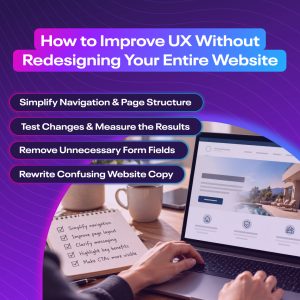
Improving your website’s user experience does not always require a complete redesign. Sometimes, small adjustments to how information is presented or how visitors interact with a page can make a meaningful difference. Start by identifying the areas creating the most friction and focus on changes that make the website easier to use.
 Simplify Navigation and Page Structure
Review your website’s menus and page organization to see whether visitors can easily find what they need. Remove unnecessary menu items, group related pages together, and use labels that clearly describe the content. You may also find opportunities to reorganize individual pages so important information appears earlier and supporting details follow naturally.
Clarify Your Most Important Calls to Action
Make sure visitors understand what action they should take next. Review your buttons and links for vague wording, inconsistent placement, or competing messages. A specific CTA, such as “Schedule a Consultation” or “Request a Quote,” communicates the next step more clearly than a generic “Learn More” button when the goal is to generate leads.
Remove Unnecessary Form Fields
Look at the information your contact forms and other conversion points require. If a field is not essential to the initial interaction, consider removing it or collecting that information later. Shorter forms can make the process feel more manageable, particularly for visitors using mobile devices. Clear field labels and helpful error messages can further improve the experience.
Improve Page Speed and Mobile Usability
Performance improvements can often be made without changing your website’s overall design. Compressing oversized images, reducing unnecessary scripts, and addressing technical issues may help pages load more efficiently. Review how the site functions on smaller screens as well, paying attention to text readability, navigation, and interactive elements that may need adjustment.
Rewrite Confusing Website Copy
Sometimes the problem is not the layout but the way information is communicated. Review important pages for unclear service descriptions, overly technical language, or messaging that does not address customer questions. Updating headings and simplifying explanations can help visitors understand your offerings more quickly and feel confident about their next step.
Test Changes and Measure the Results
Rather than making several major changes at once, prioritize improvements based on the problems you’ve identified. Use website analytics, conversion tracking, and A/B testing when appropriate to evaluate their impact. Monitoring results over time can help you understand which adjustments improve website usability and contribute to higher conversion rates.
Schedule a Consultation With an Orlando Web Design Agency
A great website should do more than look good. It should make it easy for visitors to find information, explore your services, and take action. Improving your website’s user experience can help reduce friction and turn more of your existing traffic into valuable leads.
At Brandcoders, we create user-friendly websites that balance thoughtful design with functionality and business goals. Schedule a consultation with our Orlando web design agency to discover how improving your website’s UX can help you connect with more customers and increase conversions.






Talk to a sales agent today to jump start your project.
Call (407) 992-8877